Why AI Automations Fail After the Demo—and What Production Requires
A production engineering checklist for AI-driven workflows, agents and MCP tool integrations.
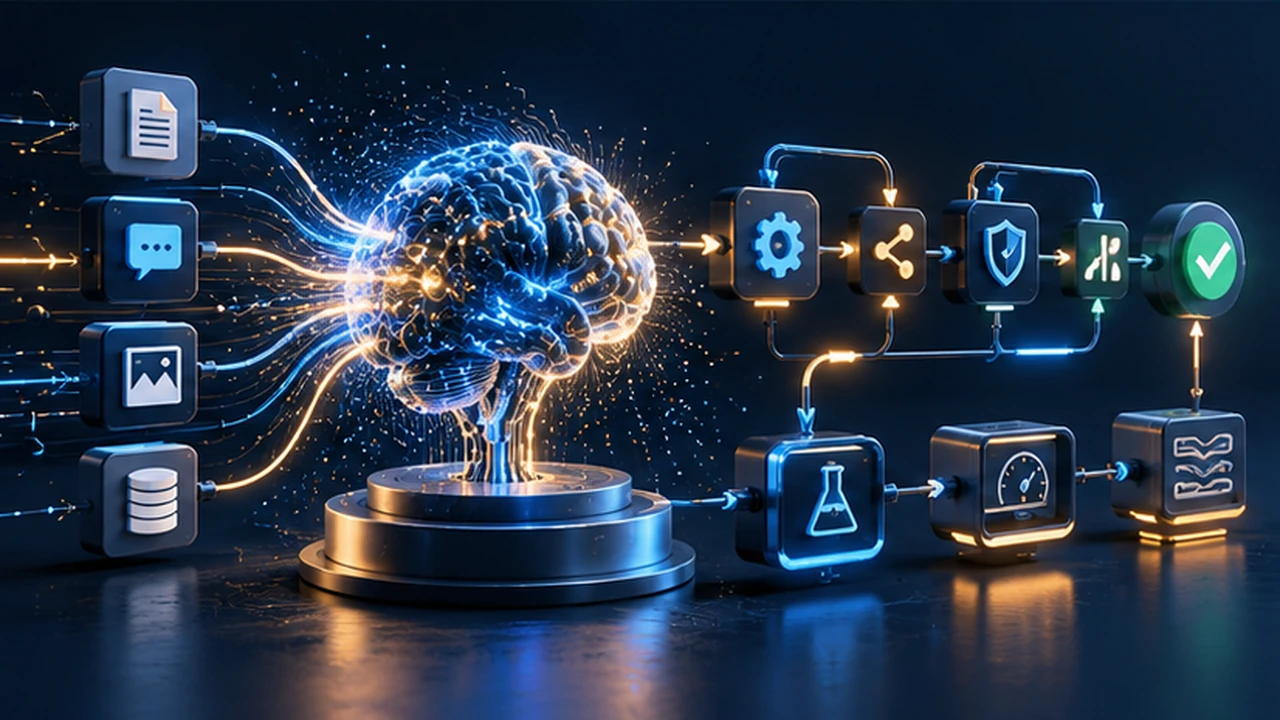
The easiest AI automation to demonstrate is a happy-path demo. A model receives a tidy request, calls one tool and produces the expected answer. The difficult part starts when the input is ambiguous, the API times out, the user lacks permission, or the same operation is requested twice.
That gap is why production AI automation is an engineering discipline, not just prompt writing. Reliability comes from boundaries around the model: validated inputs, limited tool access, deterministic execution, measurable outcomes and recovery paths.
Define the workflow before choosing the model
Begin with a business outcome that can be checked independently. “Use AI to run support” is vague. “Classify incoming support requests, propose a reply, and create a ticket for human approval” is testable.
Write down the input, permitted tools, expected output, data owner, reviewer and fallback. If the workflow cannot be drawn without mentioning a particular model, its responsibilities may not be clear enough yet.
Split judgment from execution
A model can propose that an invoice appears overdue or that a request belongs in a certain queue. A deterministic component should validate customer identity, calculate amounts, enforce permissions and perform state-changing operations. Do not allow a fluent response to substitute for a permission check.
This separation also makes your automation portable when models or prompts change.
Five production failure modes
1. Tool access is broader than the task
An assistant that only needs to read project status should not have unrestricted write or delete access. Give tools narrowly scoped credentials; check each action against the signed-in user’s permissions; and log who initiated the operation.
With MCP integrations, tool discovery does not remove the need for authentication, authorization and safe handling of external data. See the Model Context Protocol specification for the protocol’s technical context and tool interactions.
2. The workflow trusts untrusted text
Documents, chat messages, support tickets and retrieved web pages may contain instructions that conflict with the user’s actual task. Treat them as data. Never let text inside an external document silently rewrite an instruction hierarchy or expand tool permissions.
A practical guardrail is to prepare narrow, structured inputs for decision steps and validate proposed tool arguments before execution.
3. There is no definition of “correct”
A good-looking output is not the same as a correct result. Build a small evaluation set using realistic examples: ordinary cases, missing fields, duplicate requests, contradictory instructions, unauthorized actions and integration failures.
Record task success and the cost of mistakes, not just whether the output sounds professional. Regression-test the set whenever tools, prompts, model versions or knowledge sources change.
4. Transient failures become silent data loss
APIs return rate limits. Networks fail. Webhooks arrive late. A production workflow should have bounded retries, exponential backoff, explicit timeouts and a failure queue that an operator can inspect. Retrying a side effect requires an idempotency key; otherwise a temporary error can generate duplicate records.
5. Nobody can reconstruct what happened
Keep a trace linking the request, model decision, tool call, validation result and final state change. Separate sensitive content from operational metadata. Monitoring should answer: how many jobs succeeded, which tools failed, what was retried, and whether users received the correct outcome.
A safer reference architecture
A practical production AI automation workflow has seven steps:
- Intake: validate the user identity and request shape.
- Context retrieval: fetch only permitted records and label external text as untrusted.
- Model proposal: request a structured classification or action plan.
- Policy validation: check allowed tools, arguments, spending limits and user authority.
- Execution: perform an idempotent tool call or place the action in an approval queue.
- Verification: re-read the resulting state and compare it with the intended outcome.
- Audit and recovery: store trace IDs, metrics and failure details.
Notice what this architecture avoids: the model does not become the source of truth for billing, authorization or task completion.
Example: a client-content workflow
Imagine a content team asks an assistant to turn a brief into tasks, create cards and notify a reviewer. The AI may draft descriptions, split deliverables and suggest due dates. The application should still verify that the user belongs to the team, map card IDs to the correct board and prevent a repeated tool call from creating duplicate tasks.
On PlacidPlan, the portfolio describes an AI assistant alongside project boards and MCP-based integrations. The useful lesson is the integration boundary: AI assistance becomes a product feature only when it operates within the application’s permissions and dependable data model.
What to monitor from the first release
| Metric | What it reveals | Possible response |
|---|---|---|
| Validated task success rate | Did the business action finish correctly? | Investigate failed cases |
| Unauthorized tool attempt count | Are access boundaries respected? | Reduce permissions and fix validation |
| Duplicate operation rate | Are retries safe? | Strengthen idempotency |
| Time to resolution | Is the workflow actually faster? | Remove unnecessary steps |
| Human override rate | Where is judgment still needed? | Improve review experience and evaluations |
| Cost per completed action | Is the system economical? | Tune context, batching and models |
Avoid publishing generic ROI percentages without measuring your own baseline and production outcomes.
A readiness test worth running
Before launch, deliberately send malformed input, force a tool timeout, revoke an access token, repeat an event ID, request unauthorized data and disconnect the external API. For each case, the automation should fail visibly, recover where safe and never silently perform an unintended action.
The goal is not an AI system that never makes a mistake. It is a system whose mistakes are constrained, detectable and recoverable.
Related work: Explore AI assistants and MCP engineering or discuss an automation workflow.
Technical references
Share this article
Found it useful? Pass it on to someone who will too.
Rate this article
How useful was this article for you?

Can WordPress Power a Serious SaaS Product? The Real Trade-Offs
An engineering-led decision guide to using WordPress as the foundation for a subscription software product.
Read article
More Plugins Won’t Fix a Weak WordPress Architecture
A practical engineering framework for deciding when a WordPress site needs stronger architecture rather than one more plugin.
Read article
The API Integration Problems That Only Appear After Launch
How to design resilient API integrations around unreliable networks, repeated events, token rotation and observable state.
Read article